Improving Golf Wang's Conversion Rate Through Strategic Product Card Redesign
The brand had no problem gaining a hype following, converting it was a different story
To guide my sketches, I created a priority feature list. This helped me focus on ideating solutions that would speak to the entirety of user’s issues and take full advantage of the opportunity to improve the experience.
Hidden pricing, no stock indicators, and almost no upfront product information made it too hard to commit.
Users weren't abandoning the site because they didn't want the product. The site just wasn't giving them what they needed to buy it.
My Role
User Research
UX Design
UI Design
Product Design
Deliverables
Competitive Analysis
User Interviews
Responsive Design
Prototypes
Project Type
Designlab Capstone Project
JUMP TO PROTOTYPE
IMPACT
33%
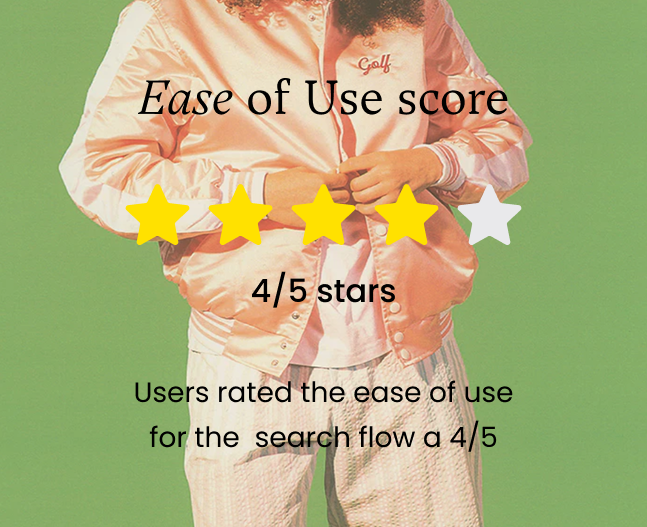
User testing indicated a 33% boost in the website's 'Ease of Use' from my website redesign.
JUMP TO PROTOTYPE
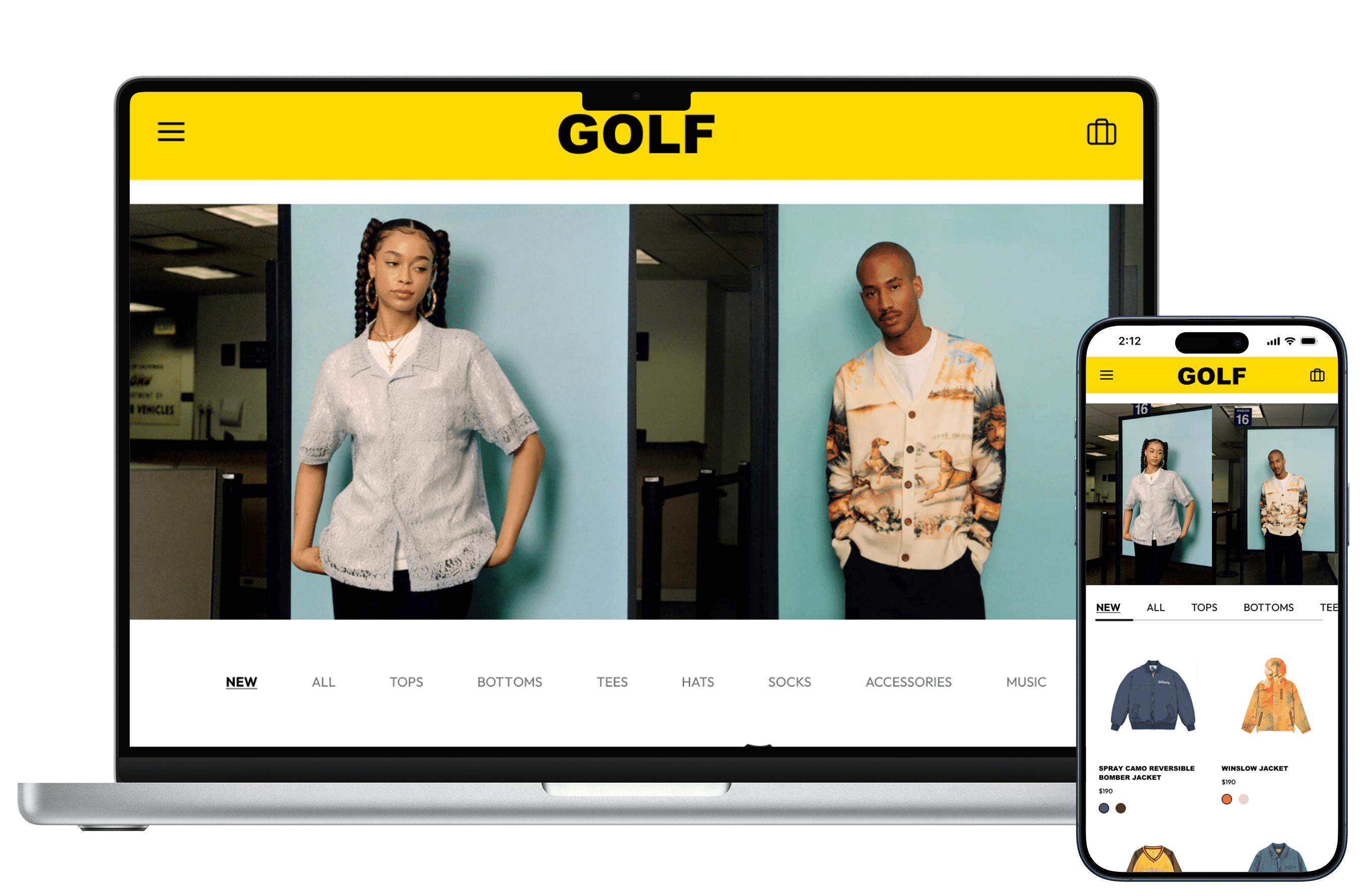
Redesigned product listing page that helps guide users into the checkout process.
Project Impact
33%
User testing indicated a 33% boost in the website's 'Ease of Use' from my website redesign.
Toggle to see a quick glance of my redesign.
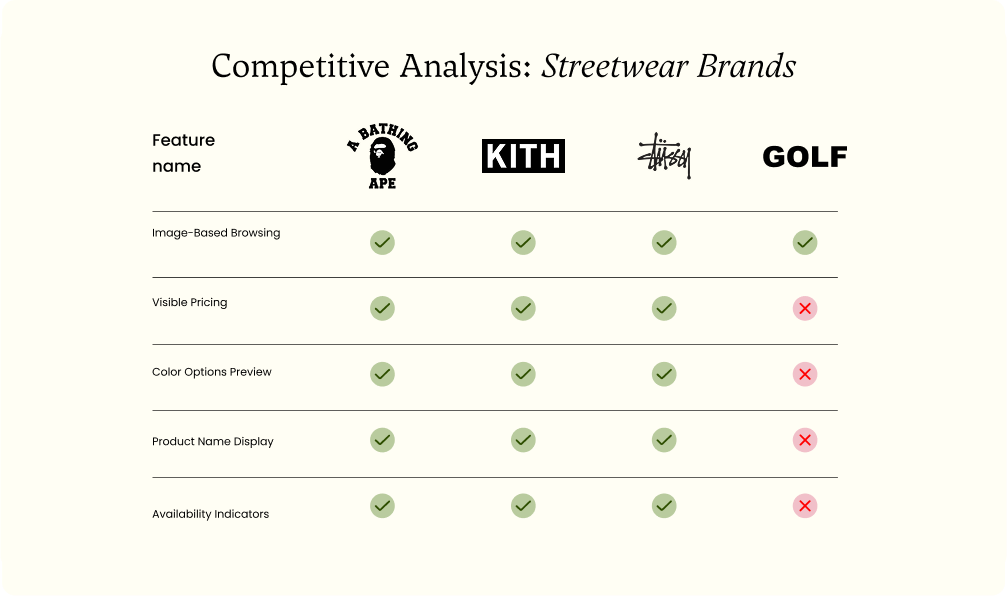
I started by benchmarking Golf Wang against its competitors
A competitive analysis across A Bathing Ape, Kith, and Stussy revealed what shoppers expected as baseline: visible pricing, color previews, product names, and stock availability. These weren't premium features — they were table stakes. Golf Wang's product cards had none of them.
Competitive analysis table comparing streetwear brands A Bathing Ape, Kith, Stussy, and Golf across features: image-based browsing, visible pricing, color options preview, product name display, and availability indicators.
Watching real shoppers confirmed what the analysis suggested
Four interviews with past Golf Wang customers turned assumptions into evidence. Observing where users paused, second-guessed, or gave up entirely made the friction tangible.

“I shouldn’t have to open each product just to check if a style is available or what the price is”

Smiling woman with curly hair adorned with flowers, wearing an orange and white striped shirt, standing with arms raised at an amusement park.
Mya, 27 years old

“Every item I wanted was out of stock and the browsing experience was too slow”

Person with long curly hair and glasses on head wearing an orange Deathworld t-shirt and black pants outdoors.
Eli, 30 years old
The site was failing to provide basic information.
Both research methods pointed me to the same issues: Users felt misinformed throughout the shopping journey.
I moved into finding inspiration gathering and sketching solutions
My brainstorming stayed rooted in how the product card could best help users make confident decisions. I pulled inspiration, worked through low-fidelity sketches, and built out user journeys to pressure-test concepts before locking in a direction.
Hand-drawn wireframe sketches of two mobile app screens: left screen shows a golf swing landing page layout with menu, stats, and video sections; right screen shows a product listing page with multiple product placeholders organized in a grid.
Priority Feature List
To guide my sketches, I created a priority feature list that tackled what Golf Wang's design was missing: upfront product information. This kept my solutions focused on addressing the exact friction points causing users to drop off.
Priority Feature List
White eye icon centered on a yellow circular background.
Display key products details
Ensure the product’s image, name, price, and color options are visible directly on the listing page.
White octagon with an X symbol inside on a yellow circular background.
Clearly indicate unavailable items
Prevent frustration by indicating unavailable products before users engage with them.
White four-square grid icon centered on a yellow circular background.
Enhance roduct scannability
Structure information in a way that is easy to read and quickly understood at a glance.
White smartphone icon centered on a yellow circular background.
Responsive mobile design
Optimize the mobile design to match desktop functionality
I tested two key flows with 5 past festival attendees
After sketching, I moved into high-fidelity wireframes, refining how each priority feature would look and function within the product cards.
White eye icon centered on a yellow circular background.
Display key product details upfront
To include essential details for users early in the shopping journey, I enhanced the product cards on the product listing page by adding the product’s image, name and price. This met user’s expectations of seeing the price of an item while scanning through the website.
Golf Card - Before product details
Before
Golf Wang’s current product cards only feature the product’s image.
Product Card - after adding essential details
After
My new design includes the product's name and price.
White octagon with an X symbol inside on a yellow circular background.
Clearly indicate unavailable items
Marking if items are sold out was important to the user because it assisted them in refining their shopping journey. In place of listing the price of an item, I listed items as sold-out allowing users a familiar way to recall details of an item.
Golf Card - Before product details
Before
Golf Wang’s current product cards only feature the product’s image. Leaving customers with an additional step to find its availability.
Product Card - after adding essential details
After
The new product card design will display "Out of Stock" in place of it's price. This will inform the user throughout their journey.
White four-square grid icon centered on a yellow circular background.
Enhance product scannability
To reduce friction during product browsing, color options were added to the main product card and made visible on hover. This adjustment aligns with user expectations from other modern e-commerce sites and reduces the number of steps needed to compare items.
Golf Card - Before product details
Before
The lack of details on the product page added time to the shopping experience leaving user's to discover what colors were available fo reach product.
Product Card - after adding essential details
After
On hover, users are able to see what colors are available for each product adding fun to the shopping journey.
White smartphone icon centered on a yellow circular background.
Responsive mobile design
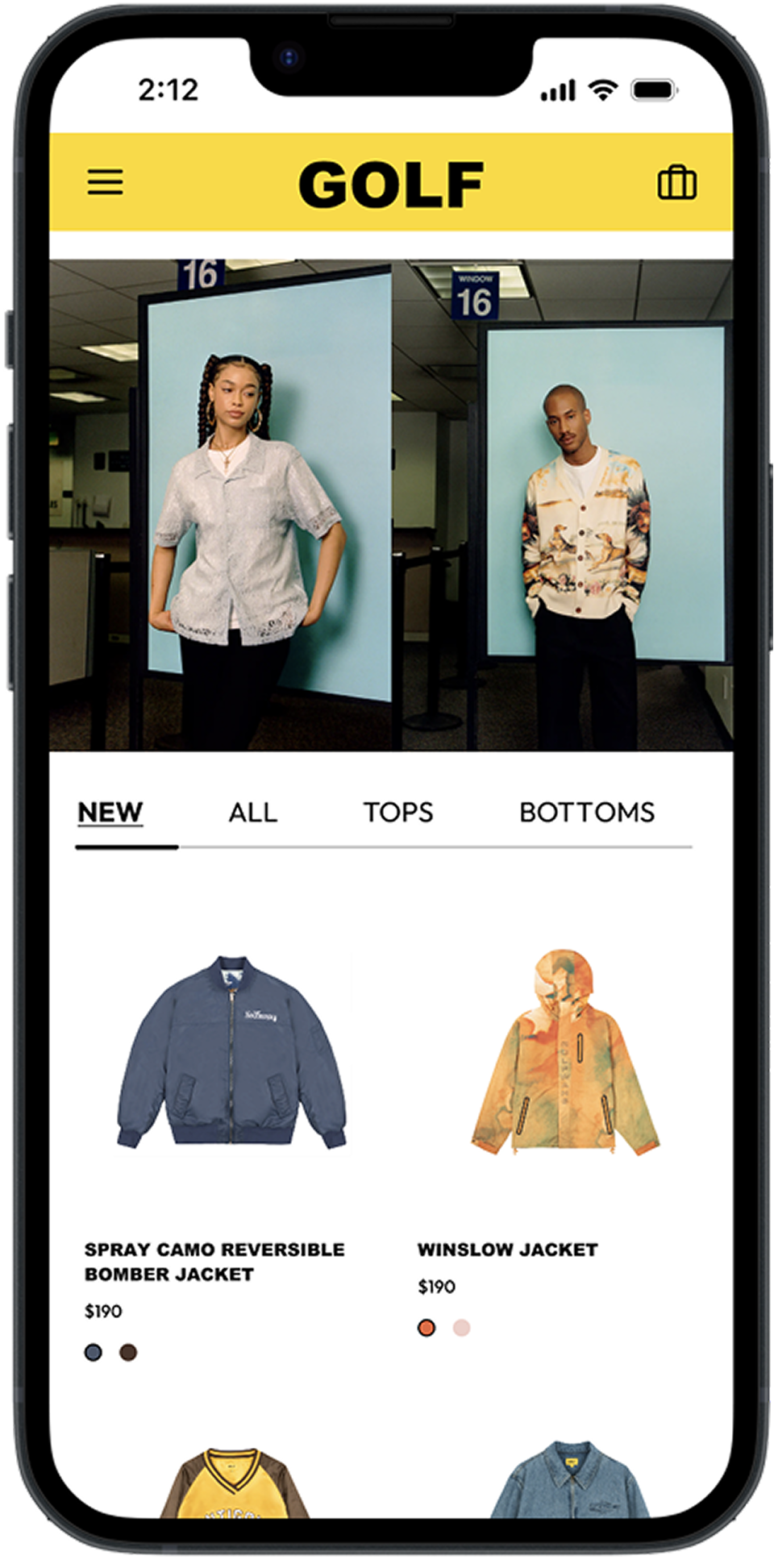
To ensure a responsive experience, I optimized the mobile design to maintain feature parity with  the desktop version. I added color options directly to the redesigned product cards, giving mobile users a mirrored experience to the Web version.
Golf Card - Before product details
Before
Golf Wang’s product cards for mobile left product cards with only the product’s image.
Product Card - after adding essential details
After
Product cards
for the mobile site include the product's name, price or availability, and the color options.
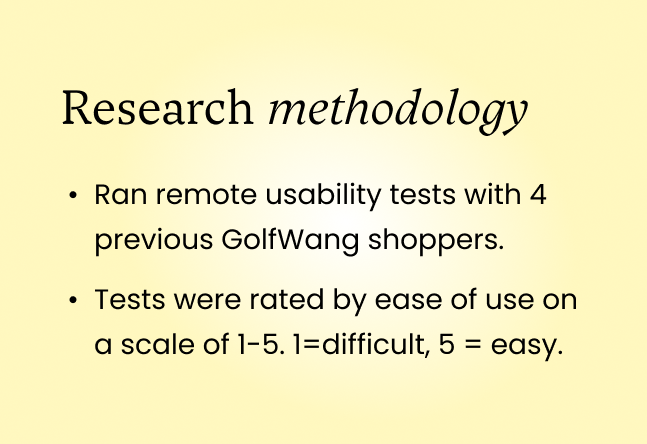
Then, I tested my designs with 4 users
Testing with real users showed noticeably less hesitation moving through the shopping experience, but also surfaced one change that would make the flow even stronger.
Slide titled Research methodology listing two points: Ran remote usability tests with 4 previous GolfWang shoppers, and tests rated by ease of use on a scale of 1 to 5.Person in a pink jacket with text showing an ease of use score of 4 out of 5 stars.
Scenic desert landscape with red rock formations and three quotes about testing displayed in rounded speech boxes.User feedback section with an arrow icon and text about improving color swatch buttons on mobile for better usability.
The color swatches were too small to tap, so I made them bigger
White arrows pointing diagonally outward within a yellow circle.
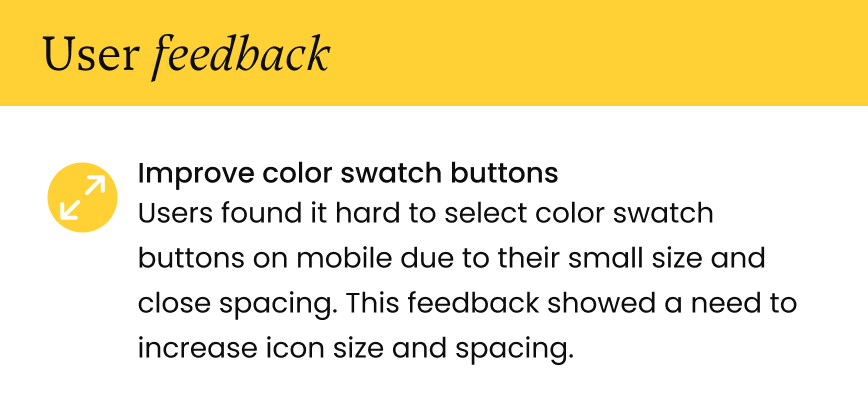
Improve accessibility of color swatch buttons
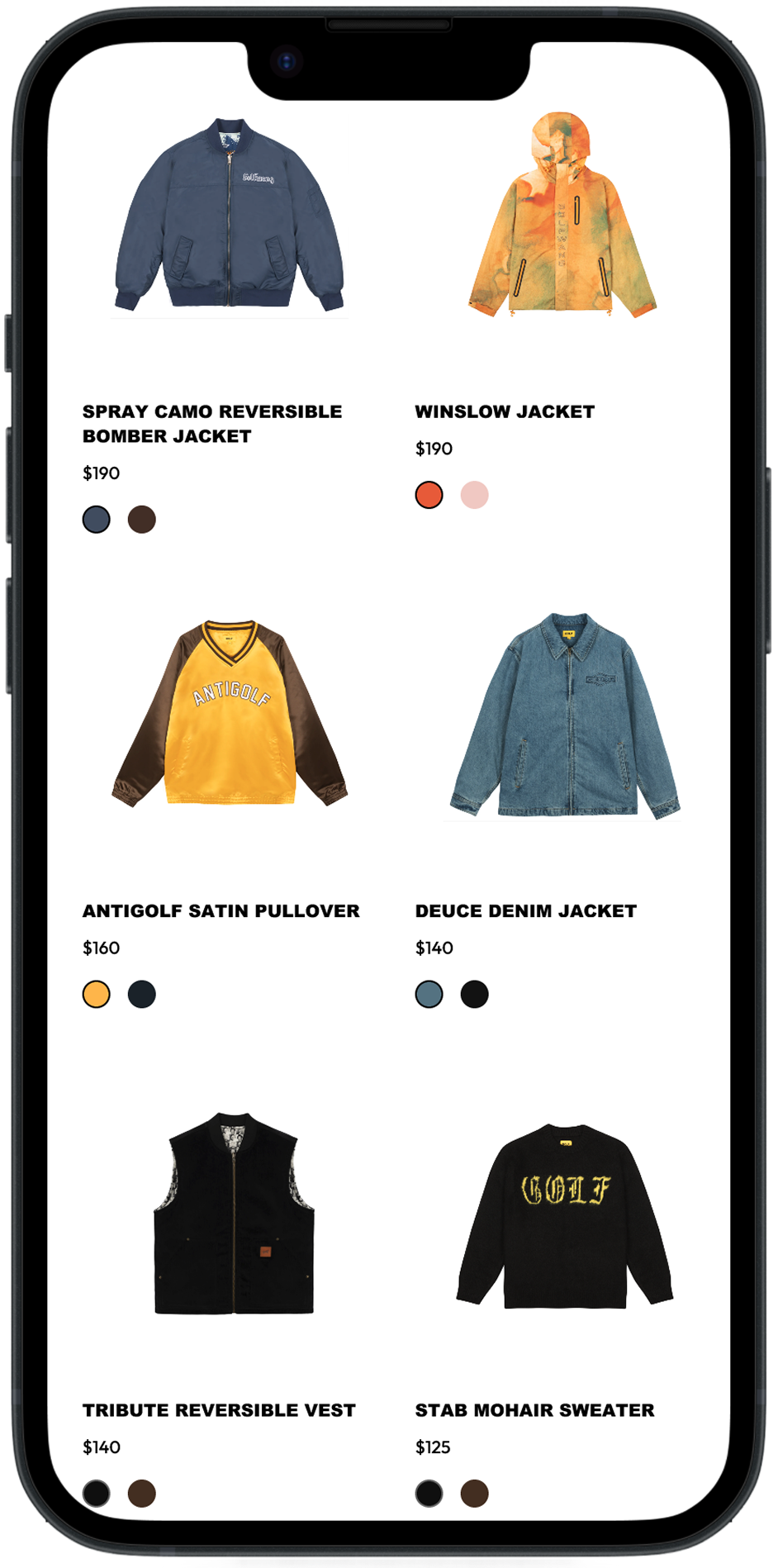
On mobile, the color swatch buttons were difficult to select accurately. Users were tapping the wrong color or fumbling between options. Increasing the icon size and spacing between swatches resolved it cleanly.
Golf Card - Before product details
Before
Users had issues with the color swatch buttons. Sometimes accidentally pressing it or having trouble switching between them.
Product Card - after adding essential details
After
Increasing the size of the color swatch buttons improved both visibility and selection accuracy.
The product card went from a dead end to a starting point
With the product cards rebuilt around what users needed, the path from browsing to checkout became significantly shorter. Less hunting, less guessing, less abandonment.
What I'm walking away with
Golf Wang's brand thrives on mystery and edge, but that energy was bleeding into the UX in ways that cost the business. When users can see a price, check availability, and preview their options without extra clicks, the brand doesn't lose its identity. It just stops getting in its own way. The 33% boost in usability confirmed it: the brand doesn't lose its edge when the experience gets out of the way.
Key Takeaways with three points: Accessibility design reduces frustration, User-first thinking drives results, Concise and direct flow drives engagement.
Where the work can go next
The product card redesign addresses the most immediate drop-off point, but Golf Wang's biggest untapped asset is its editorial photography. Through my research, the brand originally launched as a magazine, and that visual DNA is largely absent from the homepage. A future redesign could bring that storytelling forward, giving new visitors a reason to explore before they ever reach the shop.